
What's New in MFA‑ADVANCED
MFA-ADVANCED is the full multifamily underwriting model in Excel: IRR waterfalls, the full capital stack, underwriting aids and investor-ready reports. Version 5.47 is its biggest update yet: cleaner, faster and easier to work through, from the first look at a deal to the investor report.
Get MFA-ADVANCEDOne-time payment, lifetime access and lifetime model updates.
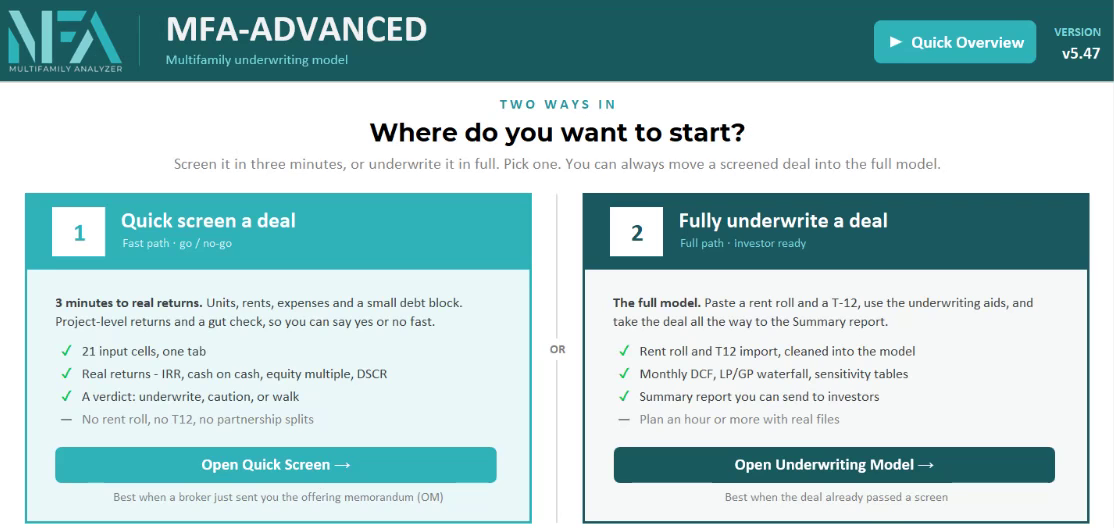
A New Place to Start
The new Start tab gives you two ways into a deal: screen it in a few minutes with Quick Screen, or underwrite it in full. Every tab now shares one clean header, and the input colors are clear: yellow cells with blue text are yours to type in. Everything else calculates.
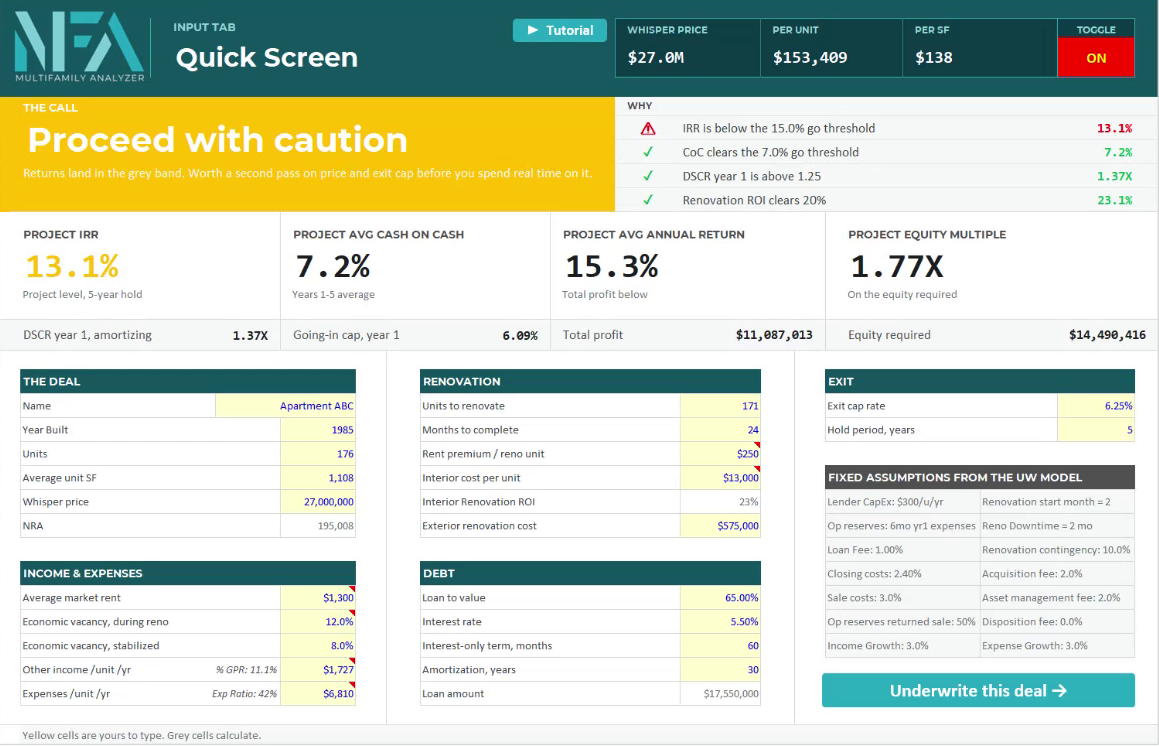
Quick Screen, Now Its Own Tab
Enter a few inputs from the offering memorandum and get real project-level returns and a plain verdict.
- IRR, cash on cash, equity multiple and DSCR
- A verdict: underwrite, proceed with caution, or walk
- One click on Underwrite this deal carries it into the full model
Always Know Your Next Step
A Deal Progress bar now runs across the top of the UW Model. It shows how complete your underwriting is and takes you straight to the next step. The UW Process tab lists every check in order, with a link to the cell that needs you. Tabs open by themselves when you need them, and you can show all tabs at any time.

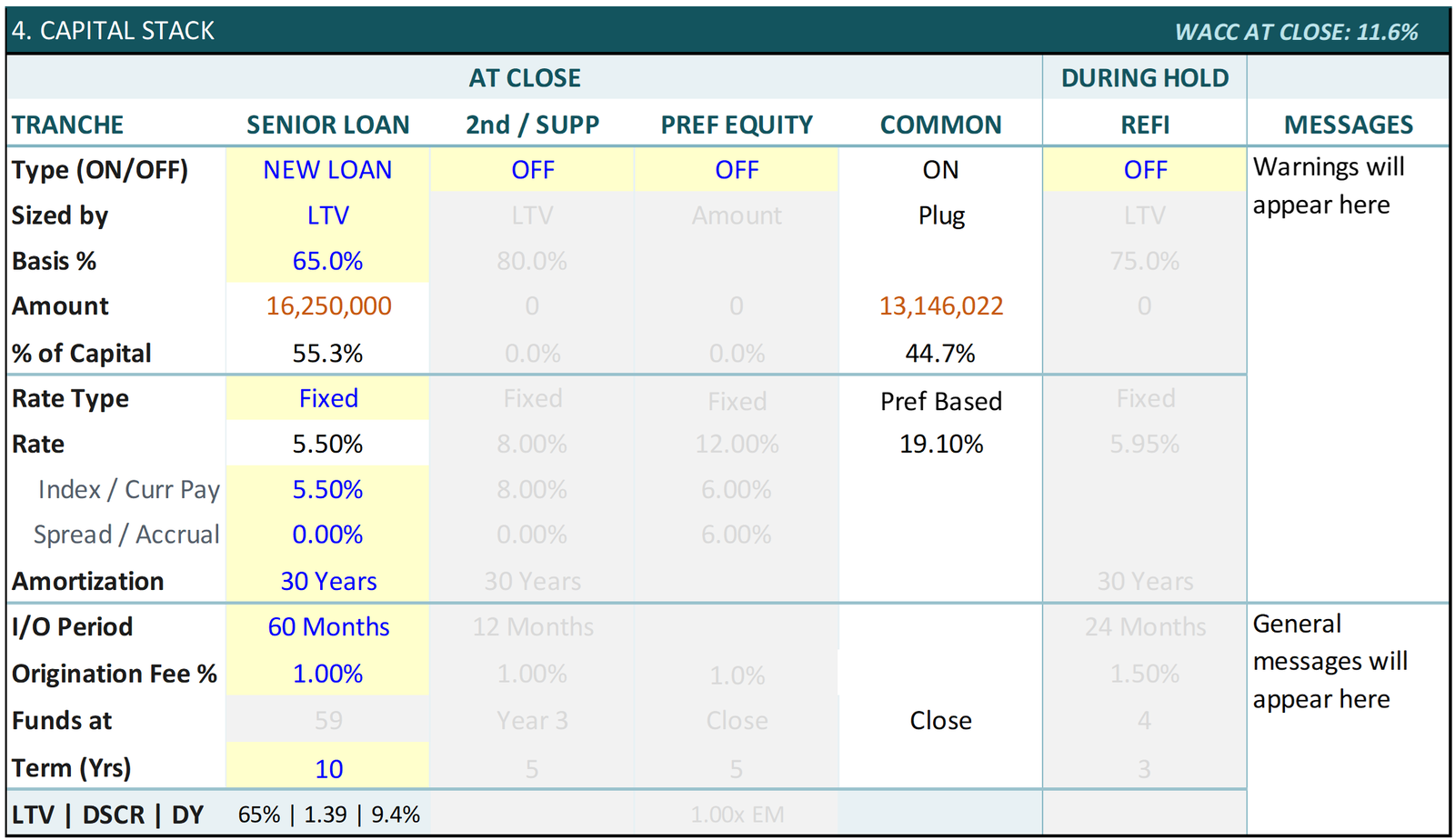
A Stronger Capital Stack
Your senior loan, a second or supplemental loan, preferred equity and a refinance sit side by side, each with its own on/off switch.
- Size any loan by LTV, LTC, DSCR, debt yield or a dollar amount
- Each loan has its own term and a fixed or variable rate
- Preferred equity moved into the stack, so it works with either return structure
- DSCR on the amortizing payment, the way your lender tests it
- Warnings for a loan term shorter than your hold, or a refinance that doesn't pay off the loans
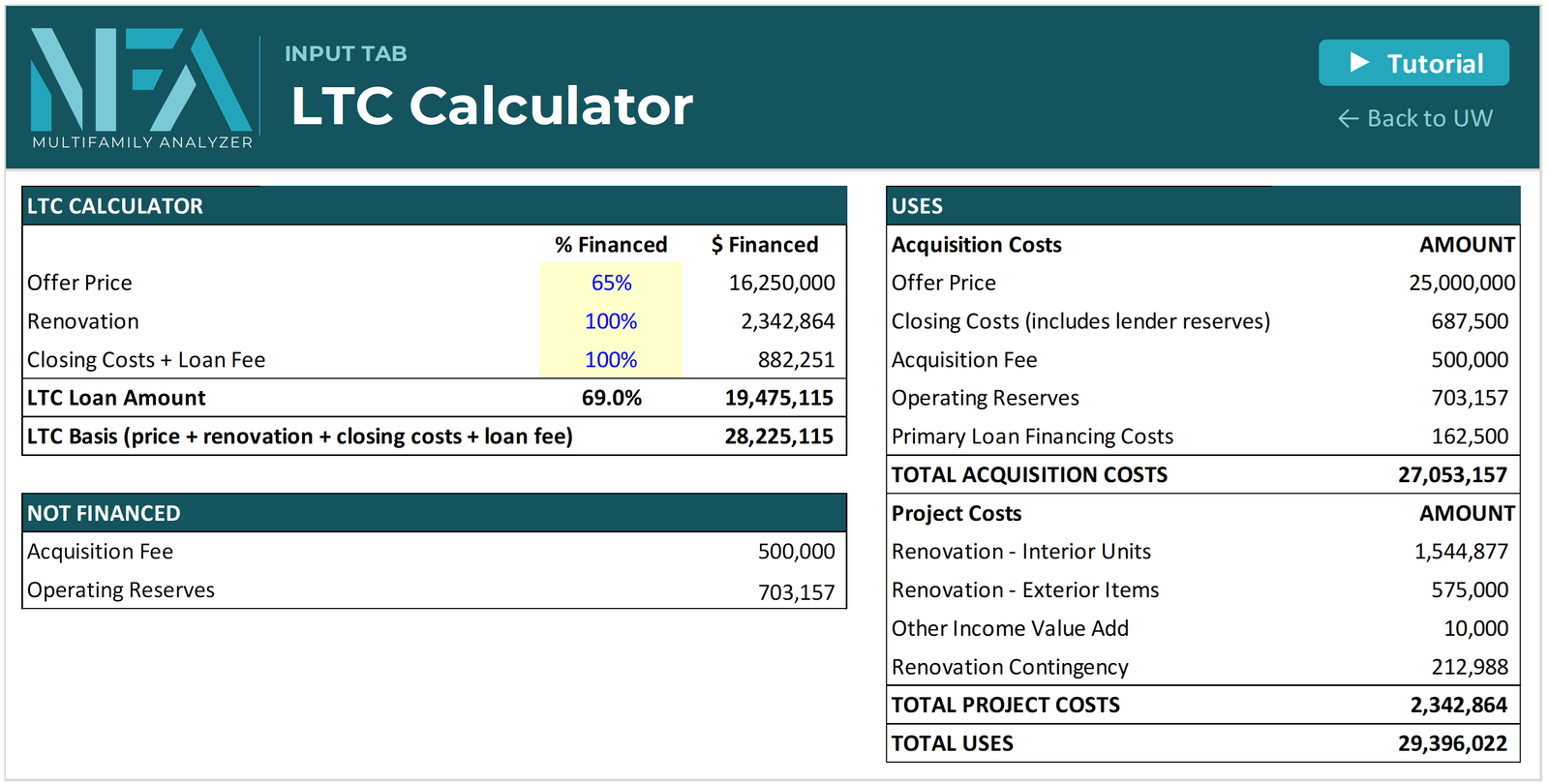
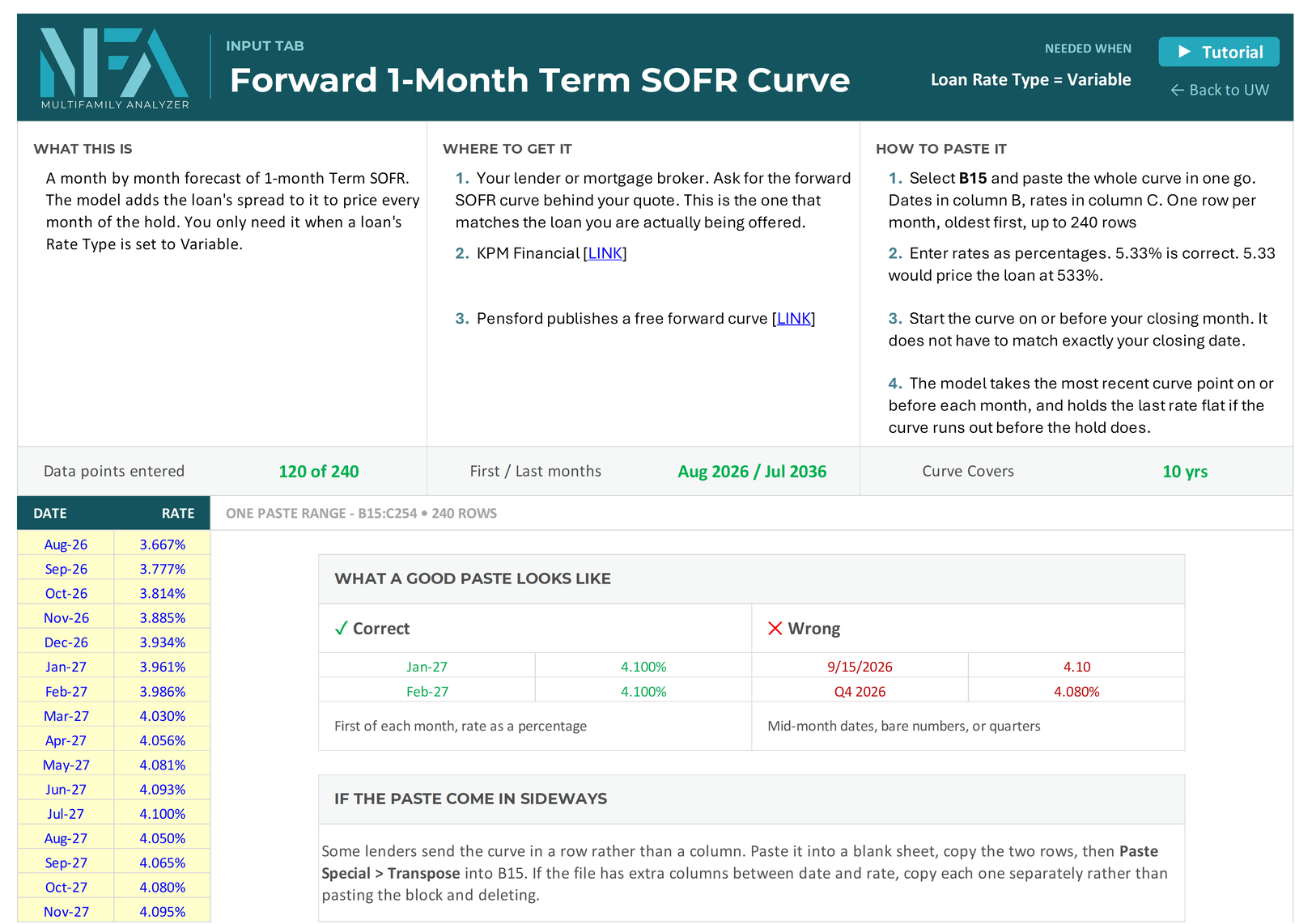
LTC Calc and SOFR Curve
LTC Calc sizes a loan by loan-to-cost. SOFR Curve brings in a forward curve for variable-rate loans. Both open on their own when your capital stack needs them.
T12 Analytics
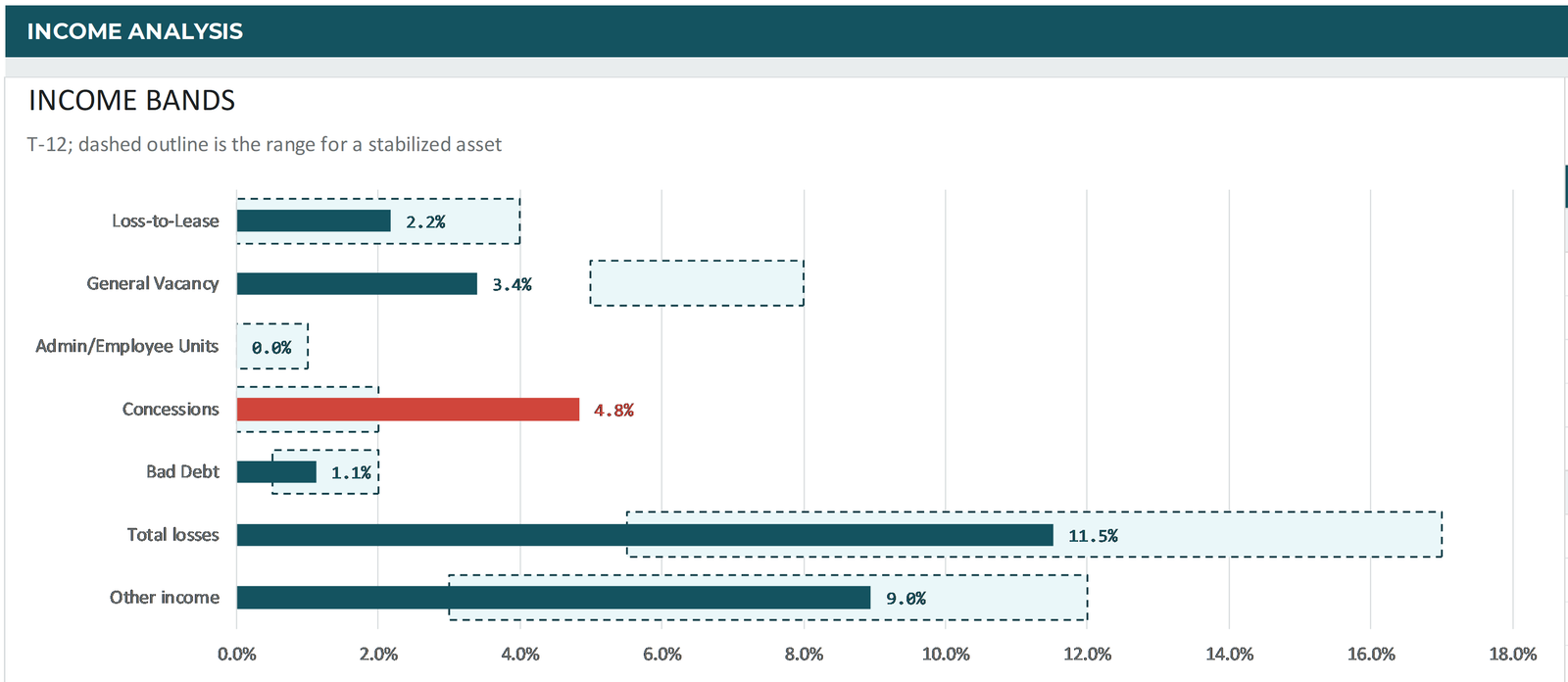
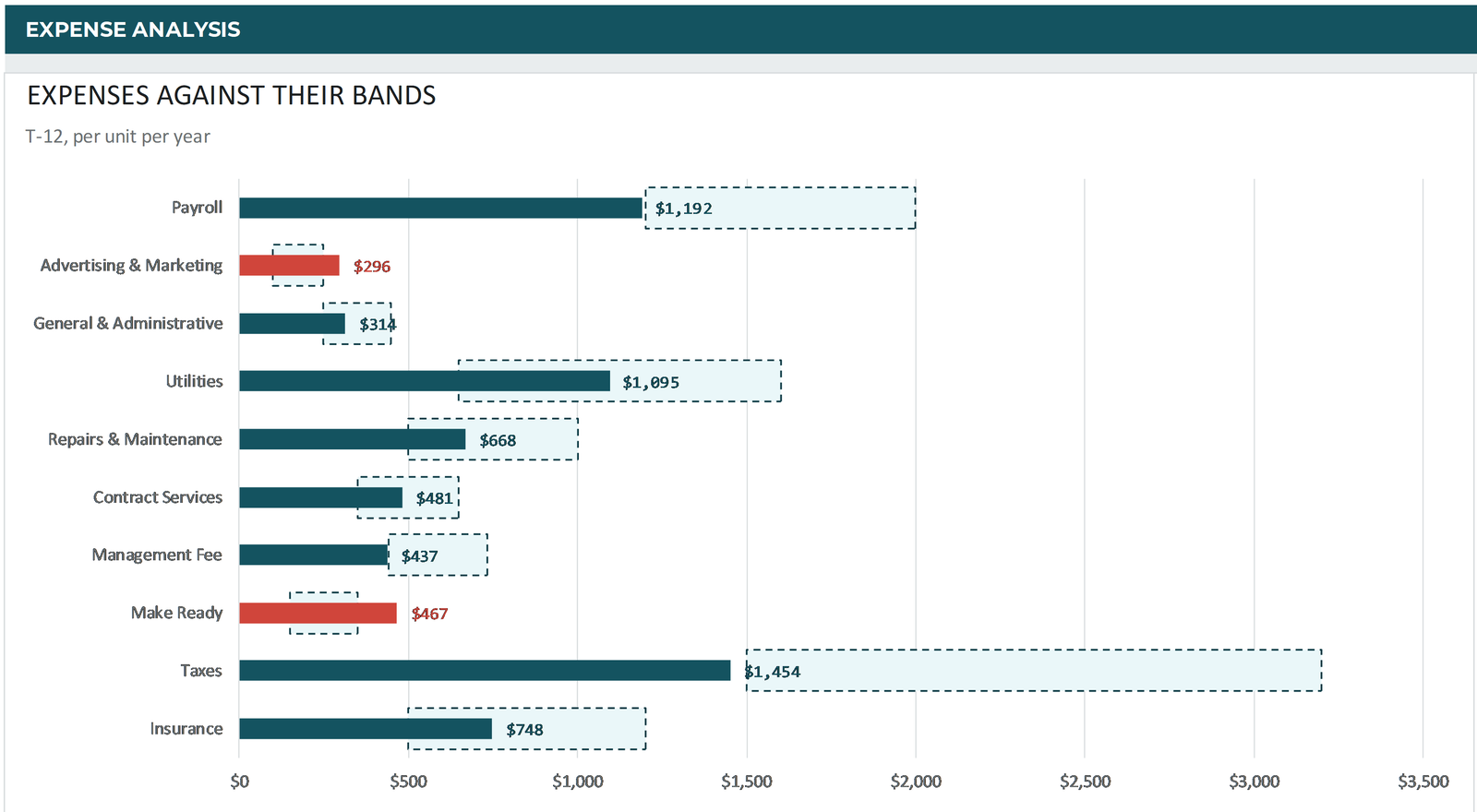
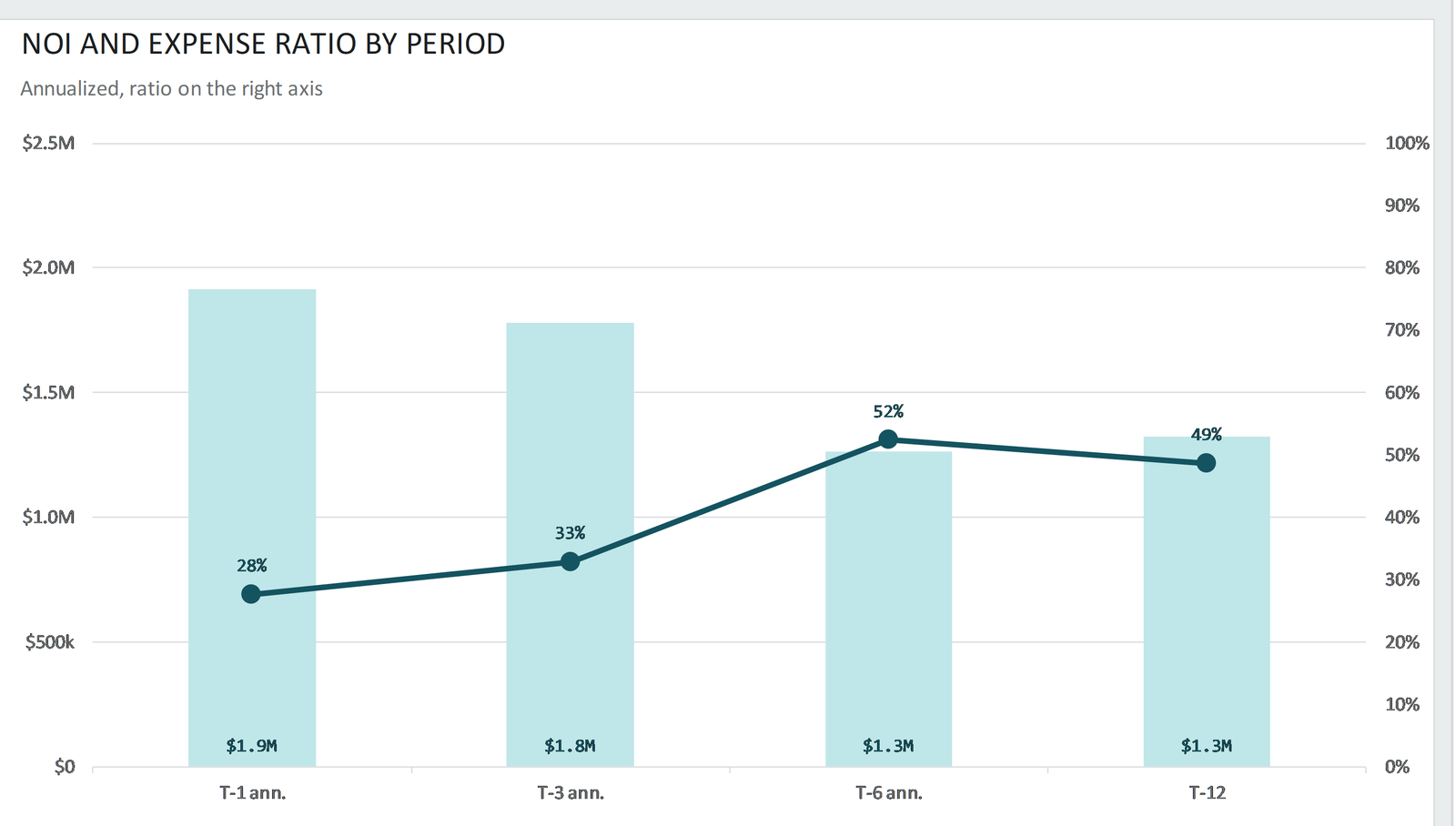
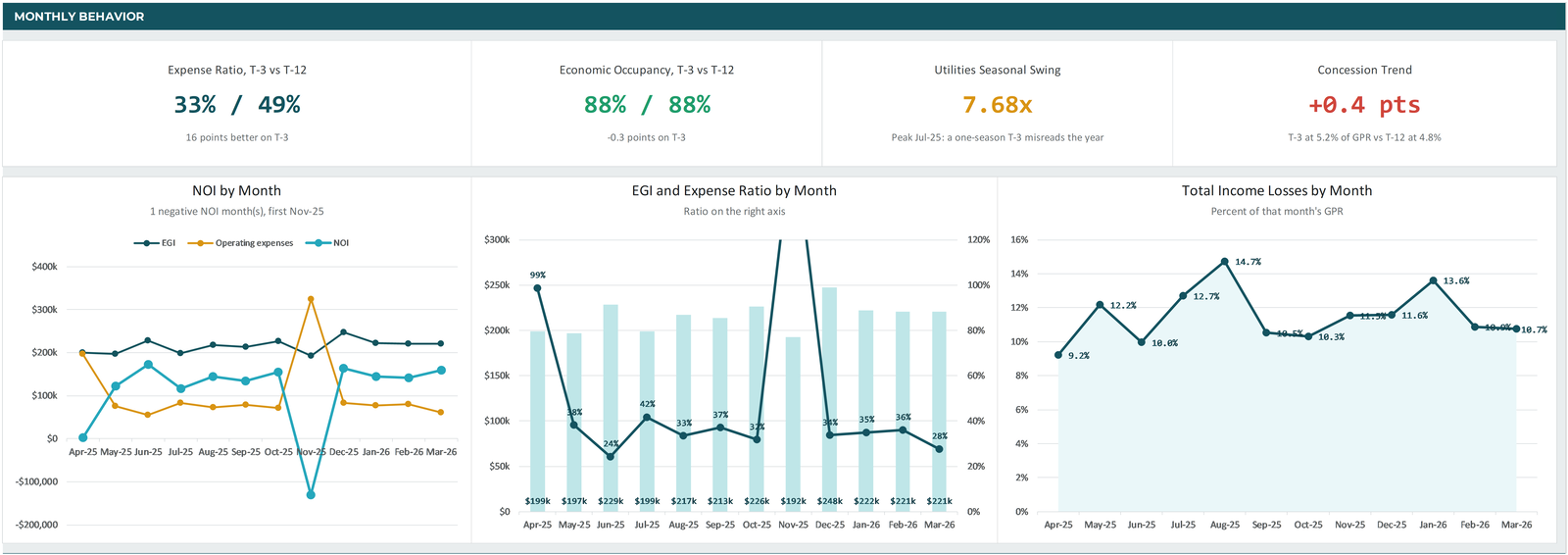
Know what a T12 is really telling you before you trust it. T12 Analytics puts the T-1, T-3, T-6 and T-12 side by side, writes a plain read of every line, and checks each income and expense line against a normal range. Show it in total dollars or per unit.
- Key figures up top: effective gross income, NOI, market rent, economic occupancy, OpEx per unit and expense ratio
- Income bands: loss-to-lease, vacancy, concessions, bad debt and other income against the range for a stabilized asset
- Expense bands: every expense per unit against its normal range, with lines that run hot flagged in red
- Trend charts: NOI and expense ratio by period, plus NOI, EGI and income losses month by month

Rebuilt T12 and Rent Roll Tabs
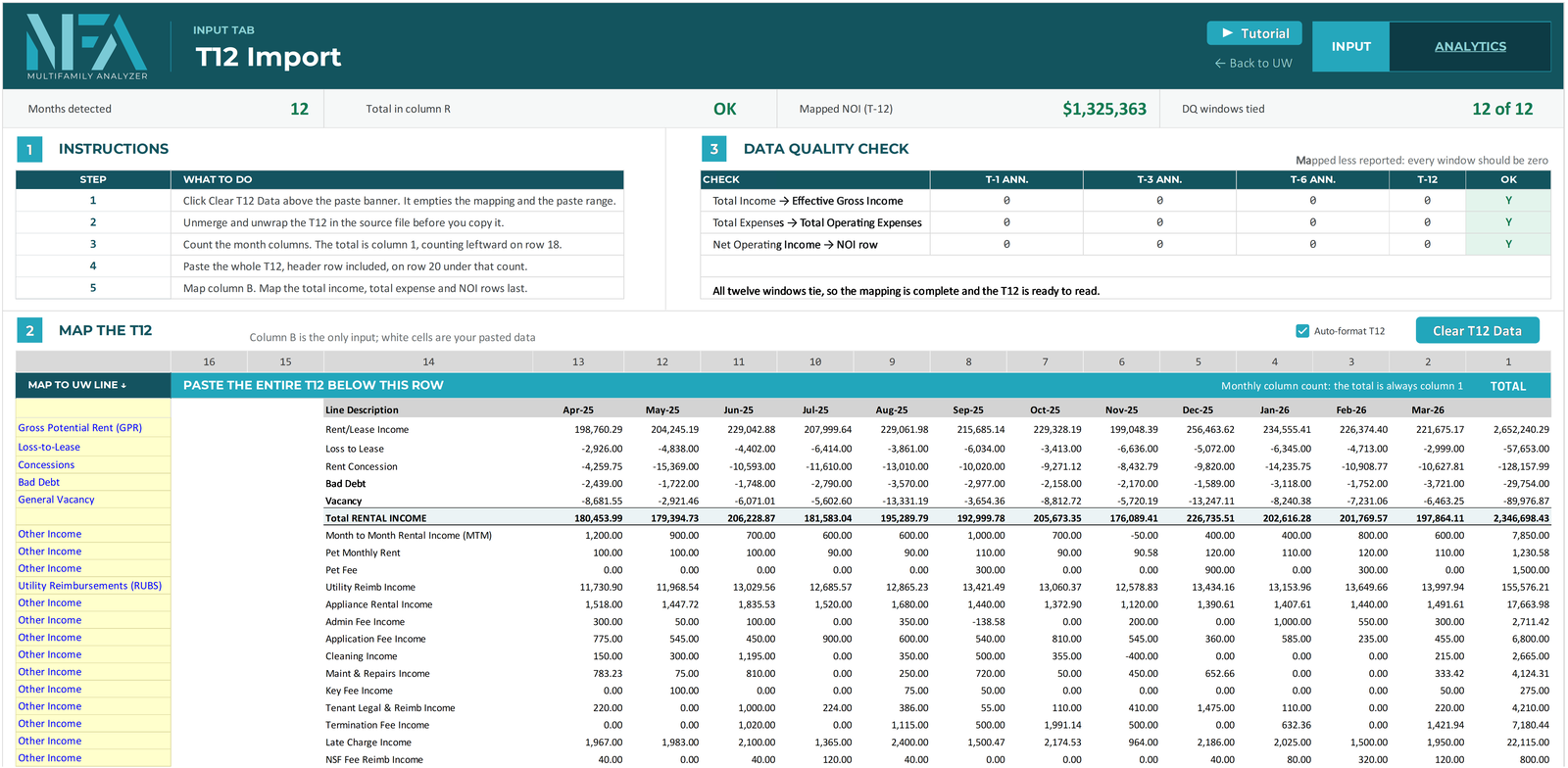
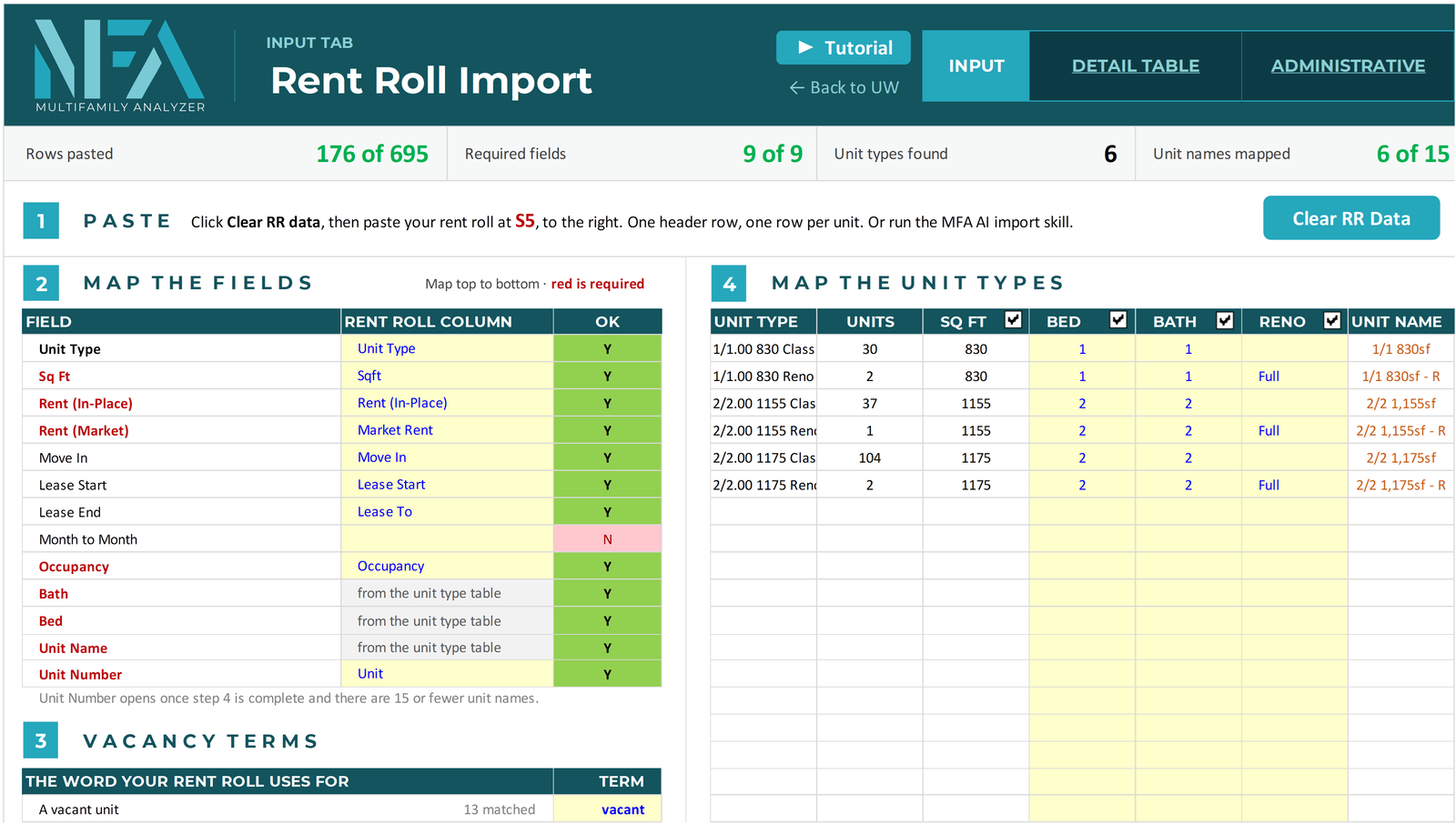
Paste the seller's T12 and map it into the model's income and expense lines. Rent rolls come in every layout, so clean yours first with the MFA Rent Roll Formatter, or let the MFA AI Companion do it for you. Then map the columns once, and the rent roll becomes a clean summary by unit type that goes straight into the model.
Rent Comps That Feed the Model
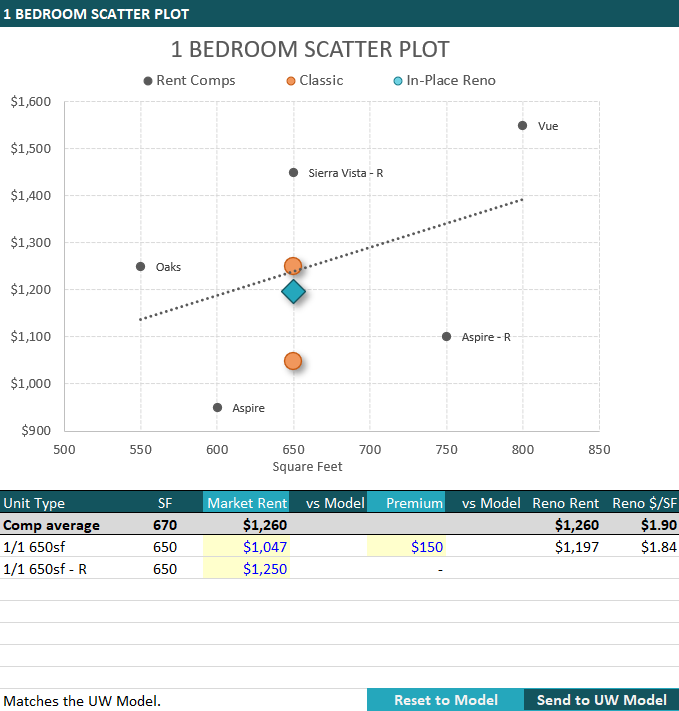
Make your market rent adjustments right in the Rent Comps tab. Your market rent and renovation premium go straight back to the UW Model, so your comps and your underwriting always match.
Repair Detail, Priced by Scope
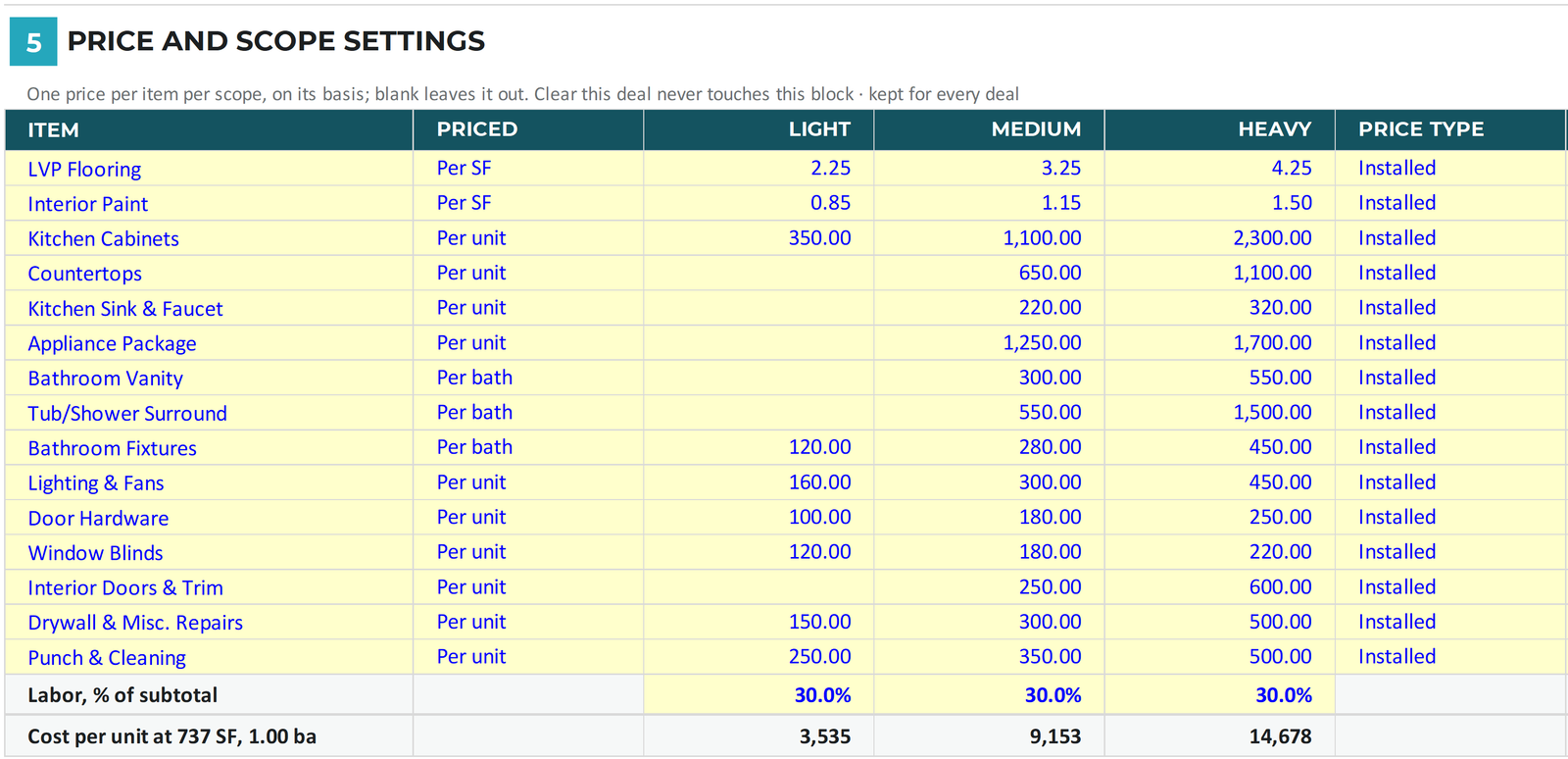
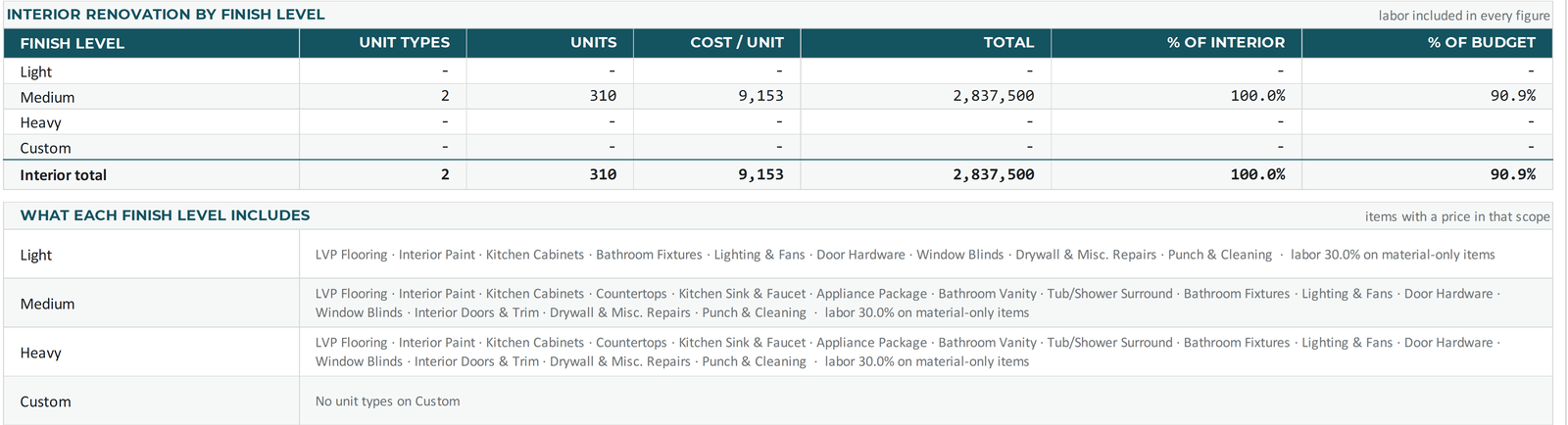
Repair Detail was rebuilt around finish levels. Set your price for each renovation item once, at three scopes: Light, Medium and Heavy. That price list stays with your file for every deal. Then pick a scope for each unit type, and the model prices the whole renovation for you.
- One price list with three finish levels: Light, Medium and Heavy
- Set it once; it is kept for every new deal
- Apply a scope to whichever unit types you want, or price one unit type item by item with Custom
- Exterior work, other income capex and contingency roll into one repair budget report
- One click sends the budget to the UW Model; renovation schedules cover up to 15 unit types, out to month 120

Faster, Lighter, Easier to Manage
The file is about 40% smaller and calculates about 85% faster. All 24 pivot tables are gone, and the GPR Logic tab was rebuilt to cut calculation time.
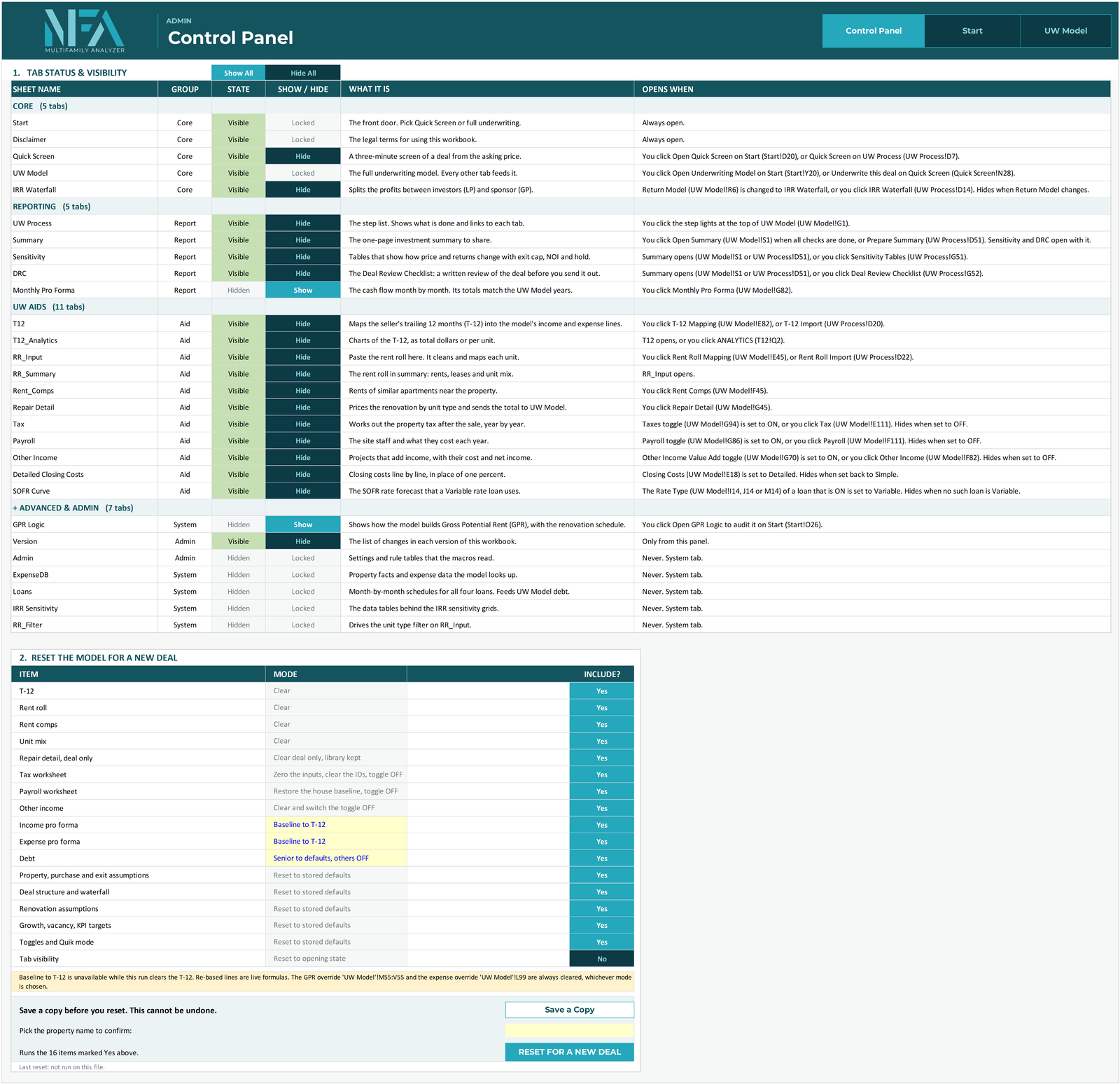
The new Control Panel lets you show or hide any tab, reset the workbook for a new deal in one click, and save a dated copy.
Calculations You Can Trust
MFA-ADVANCED was rebuilt and checked line by line. A few examples of how it handles the details:
- Negative cash flow. A year with a cash shortfall, like a heavy renovation year, is no longer shown as a negative distribution to your investors. The partners cover it with a capital contribution, split the same way as their equity. It's added to their capital account, earns the preferred return, and counts as money in for the IRR.
- Hold period. The IRR waterfall now always uses your actual hold period.
- Loans. Several loan schedule and refinance payoff improvements.
Every formula stays visible, so you can trace any number back to its inputs.
Meet the MFA AI Companion
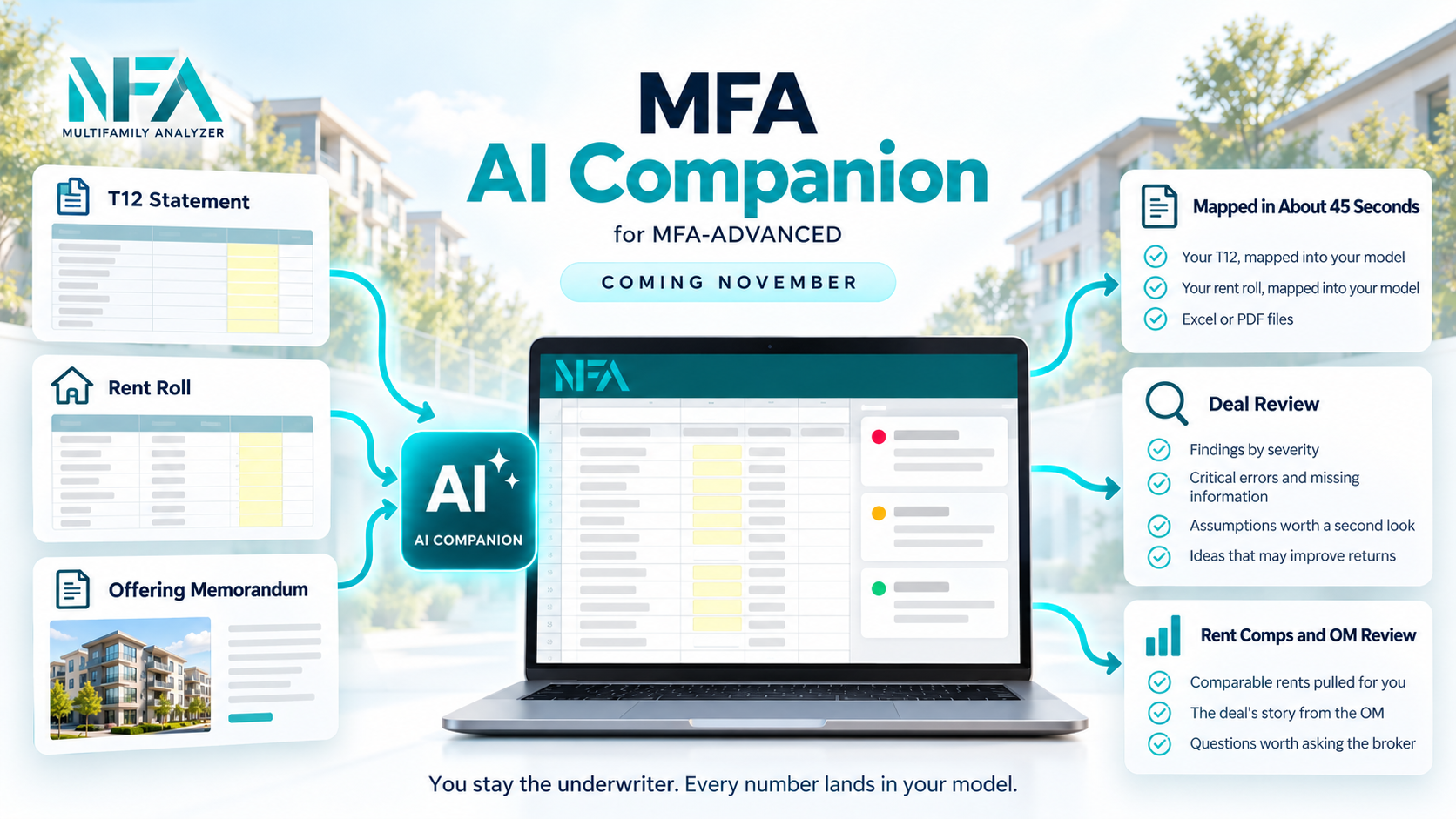
This version of MFA-ADVANCED is built to work with the MFA AI Companion, a new AI assistant that works right inside your model in Excel. It takes the data entry off your plate, so you can spend your time on the deal.
Good to Know
- MFA-ADVANCED v5.47 needs desktop Excel 2021 or newer, or Microsoft 365.
- Every tab has a Tutorial button. New videos are being added over the coming weeks.
- Questions before you buy? Contact us. I read every message.

