
MFA ADVANCED
Built for Advanced Multifamily Underwriting in Excel
Everything you need to underwrite a multifamily deal in one transparent Excel workbook: screen it fast, read the T12, structure the capital stack and model every partner's returns.

One Advanced Underwriting Engine
Every MFA-ADVANCED model is powered by a single underwriting engine that connects assumptions, calculations, and outputs across the entire deal. This unified structure ensures consistency, accuracy, and clarity from initial screening through final investment decisions.
Complete Transparency, Consistent Methodology
MFA-ADVANCED is built with full formula visibility and a consistent modeling structure so assumptions, calculations, and outputs remain easy to understand and verify. This approach allows users to apply the same underwriting standards across every deal.
Transparent Formula Structure: All calculations are fully visible and traceable, allowing users to review and validate every assumption and output.
Assumption-Driven Modeling: Key assumptions are clearly organized so changes flow consistently through the entire model.
Repeatable Underwriting Framework: Each deal follows the same structured methodology, improving consistency across analyses.
Clear Input Colors: Yellow cells with blue text are yours to type in. Everything else calculates.

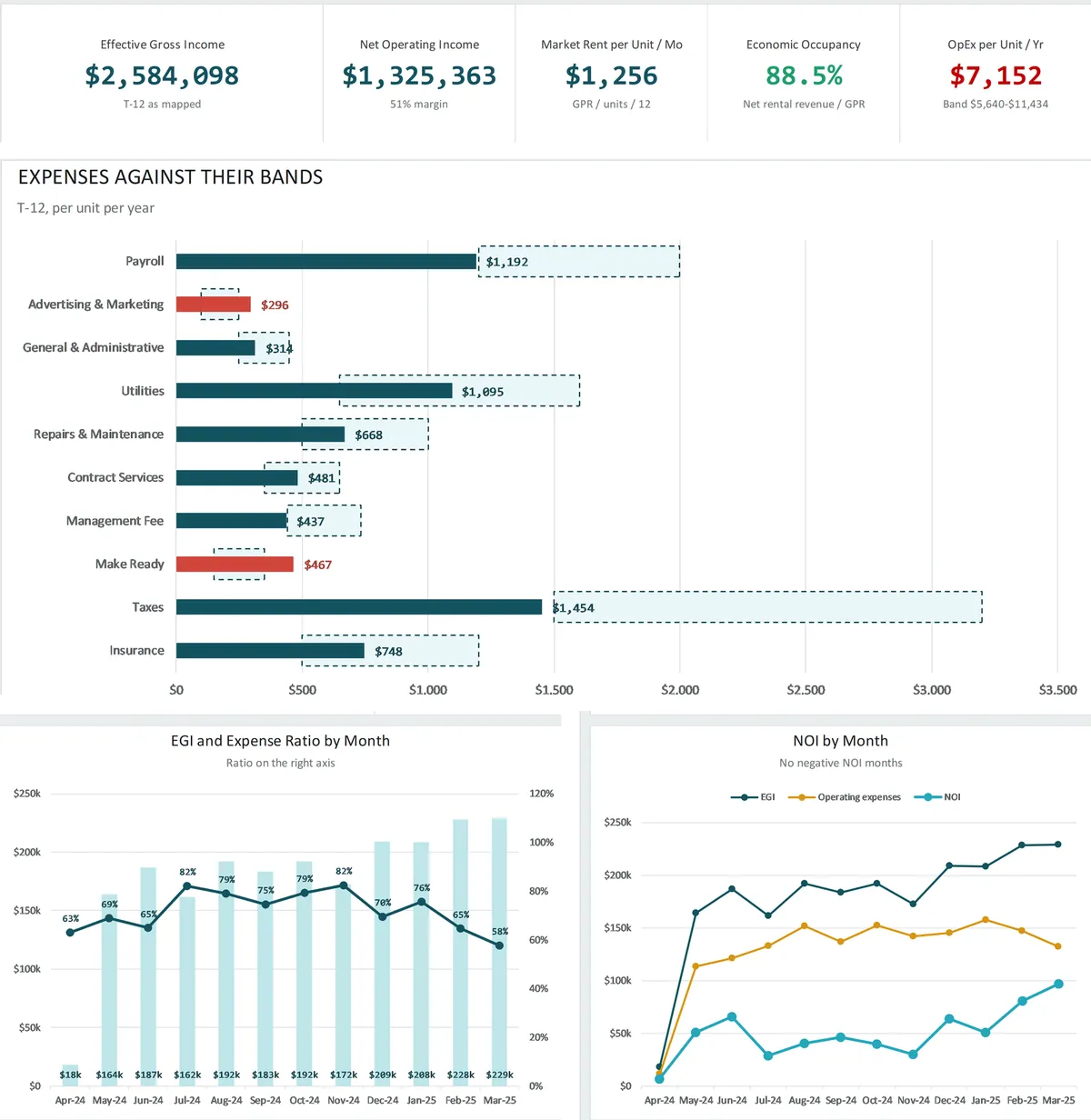
See What the T12 Is Telling You
The T12 Analytics tab reads the seller's numbers line by line, so you know what's out of line before you set an assumption.
T-1, T-3, T-6 and T-12 Side by Side: Compare recent months with the full year, with a written read of each line.
Normal-Range Checks: Every income and expense line is checked against a normal range, so you see at a glance what's out of line.
Trends and Monthly Charts: NOI and expense ratio trends and monthly charts, in total dollars or per unit.
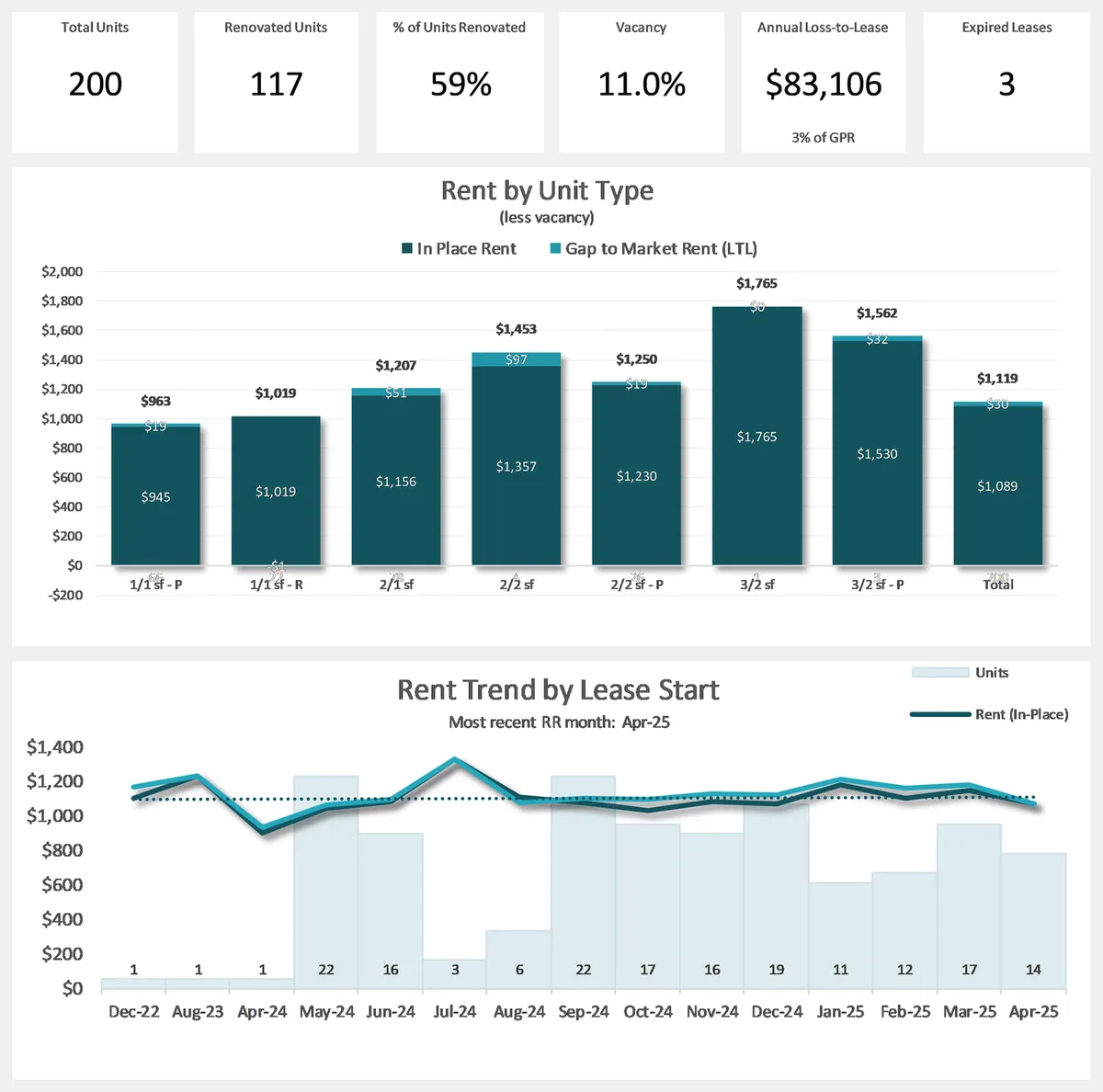
Read the Rent Roll at a Glance
The Rent Roll Summary turns the seller's rent roll into a one-page dashboard by unit type, then fills your unit mix in one click.
Rent Roll KPIs: Total units, renovated units, vacancy, annual loss-to-lease and expired leases.
Rent by Unit Type: In-place rent against market rent, with unit mix and 1-year turnover by unit type.
Trended Analysis: Lease expirations, rent trend by lease start, lease age and tenancy duration, filtered by unit type.
Capital Stack & Partnership Structuring
Model complex capital structures with institutional-level precision. MFA-ADVANCED supports layered equity, preferred returns, promote structures, and partnership economics commonly used in professional multifamily investing.
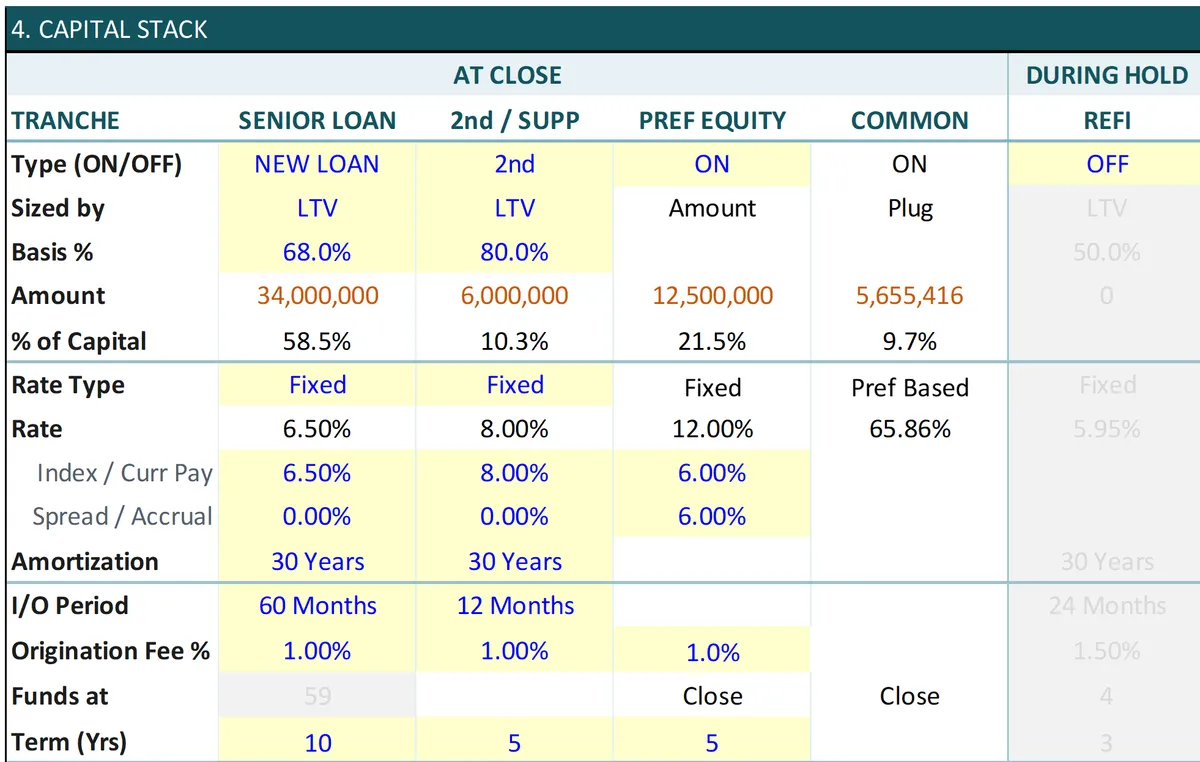
Every Layer of the Capital Stack
Senior loan, 2nd loan, preferred equity, common equity and a refinance, side by side, each with its own on/off switch.
Size Any Loan Your Way: By LTV, LTC, DSCR, debt yield or a dollar amount, with the LTC Calc built in.
Fixed or Variable Rates: Bring in a SOFR forward curve for a variable-rate loan.
Lender-Style DSCR: Measured on the amortizing payment, the way your lender tests it.
GP / LP Waterfall Modeling
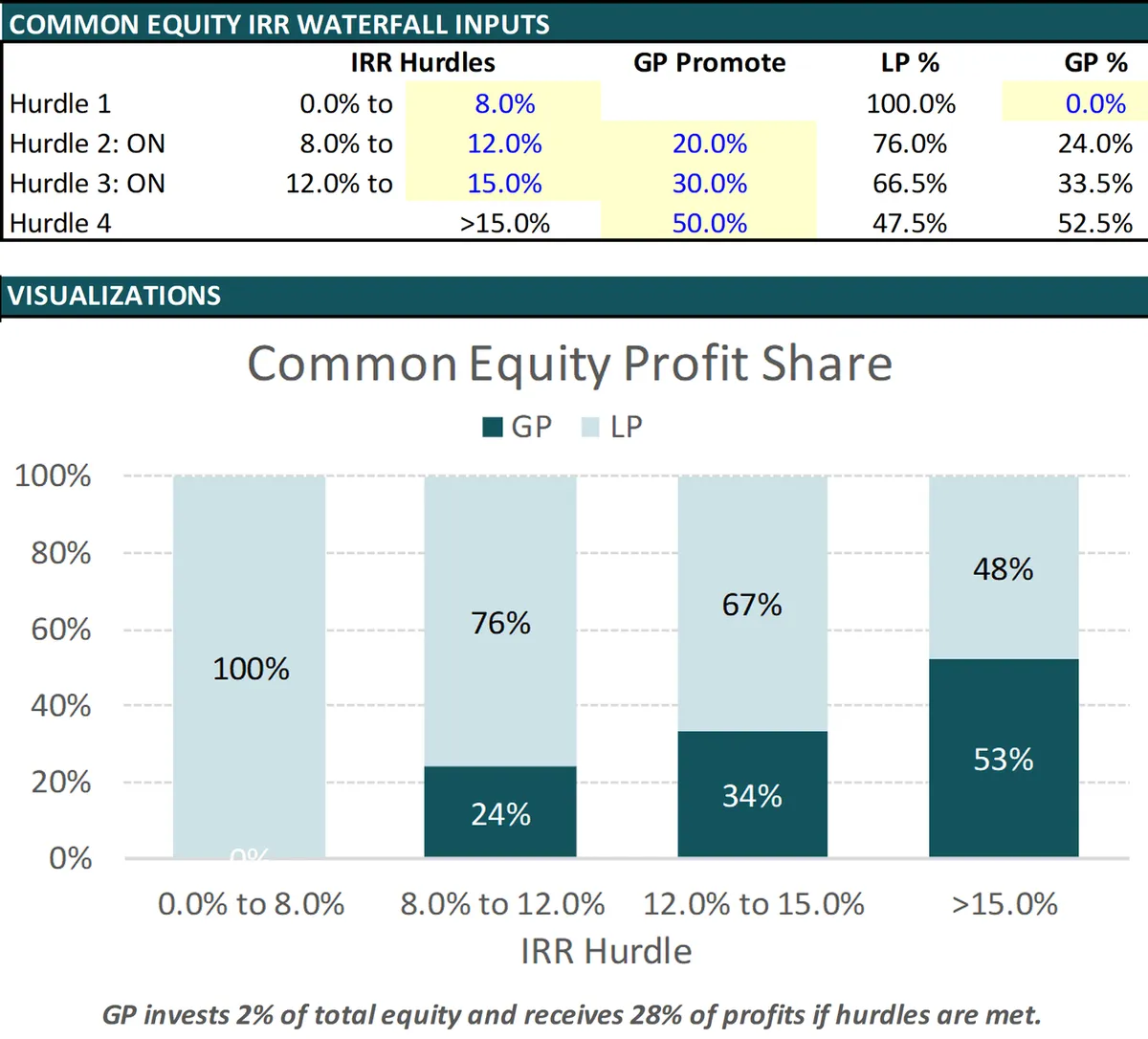
Split the common equity profits between the sponsor and the investors with an IRR waterfall.
Up to Four Hurdles: A preferred return, then IRR tiers, each with its own GP promote.
GP Catch-Up: Turn on a catch-up for the sponsor when the deal calls for it.
Returns by Partner: Cash on cash, IRR, AAR and equity multiple for the LP and the GP.
Start Fast, Stay on Track
Every deal starts in the same place and follows the same path, so you always know your next step.
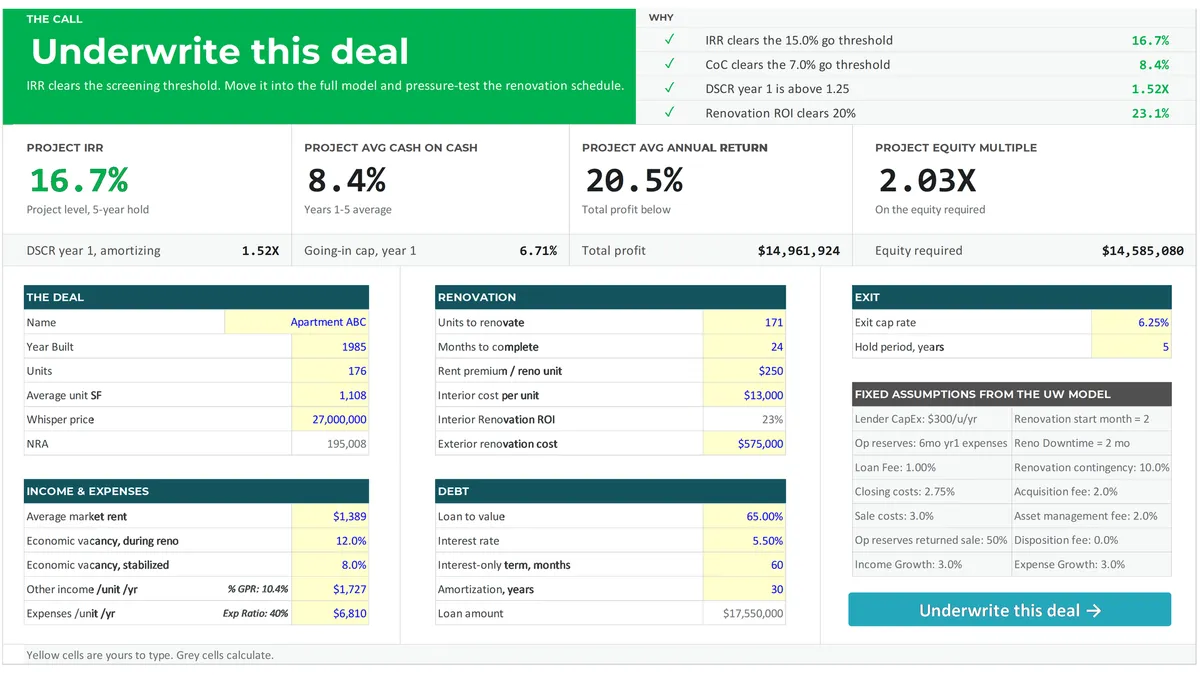
Quick Screen
Enter a few numbers from the offering memorandum and get project-level IRR, cash on cash, equity multiple and DSCR with a plain verdict. One click carries your screen into the full model.
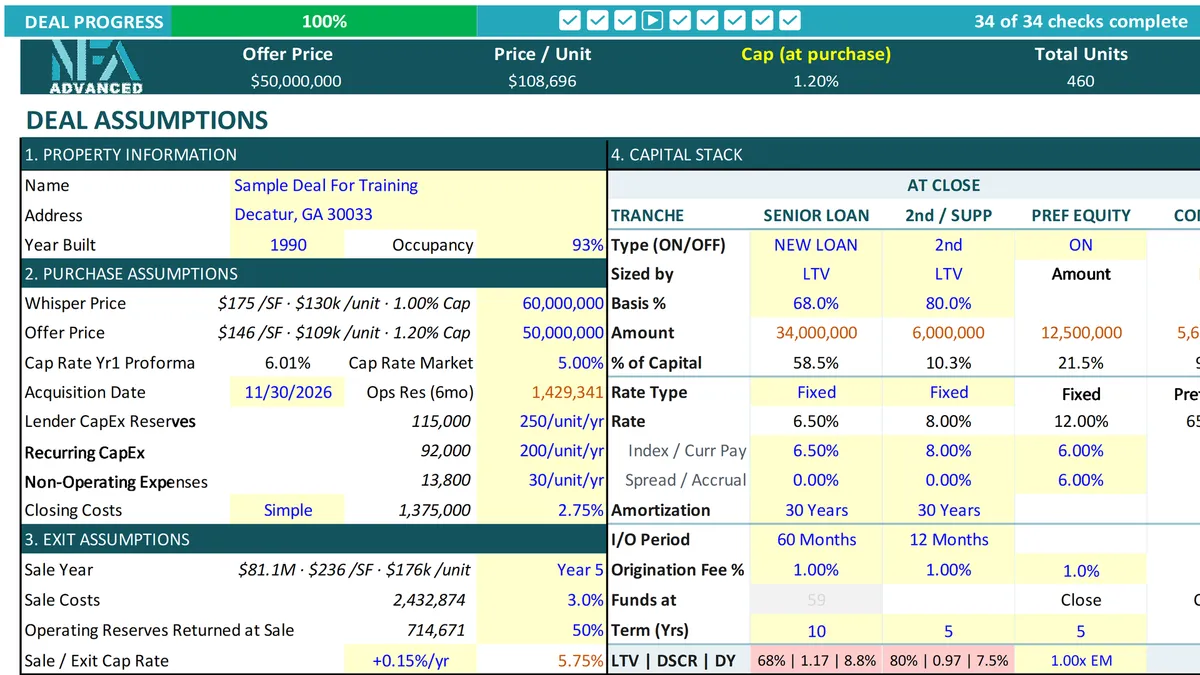
Deal Progress
A progress bar across the top of the UW Model shows how complete your underwriting is and takes you to the next step. The UW Process tab lists every check in order, with a link to the cell that needs you.
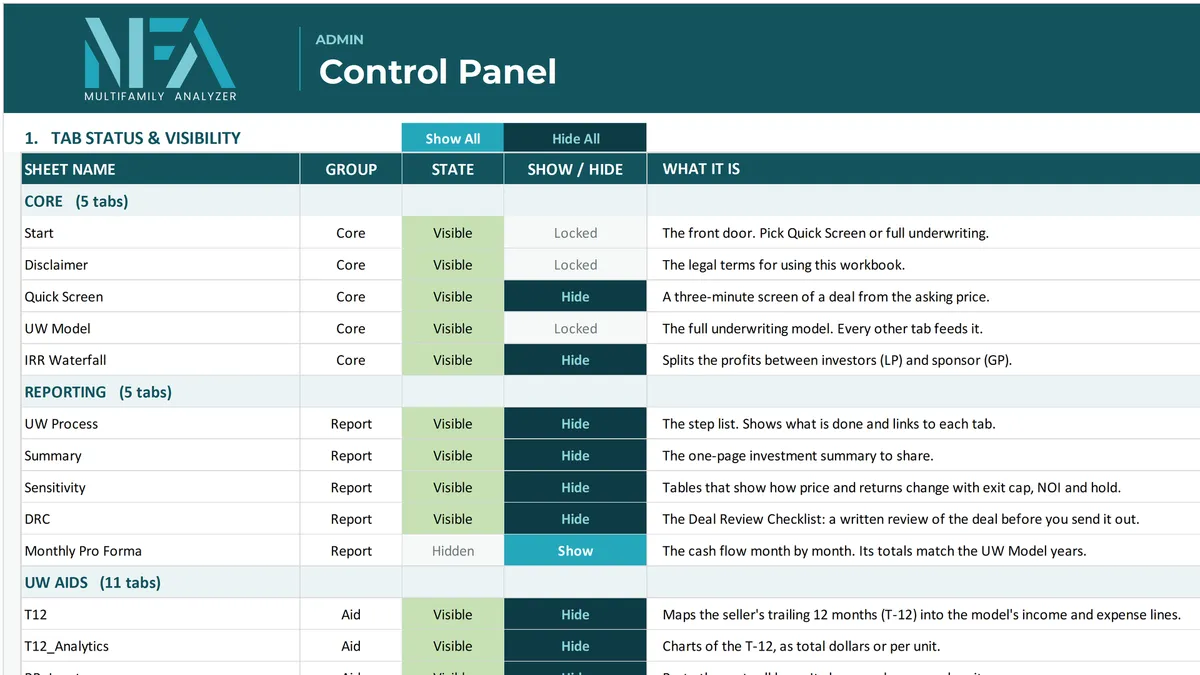
Control Panel
Show or hide any tab, reset the workbook for a new deal in one click, and save a dated copy. Tabs open by themselves when you need them.
Advanced Underwriting Aids
Optional Built-in underwriting tools reduce manual work while maintaining analytical depth and consistency across deals.
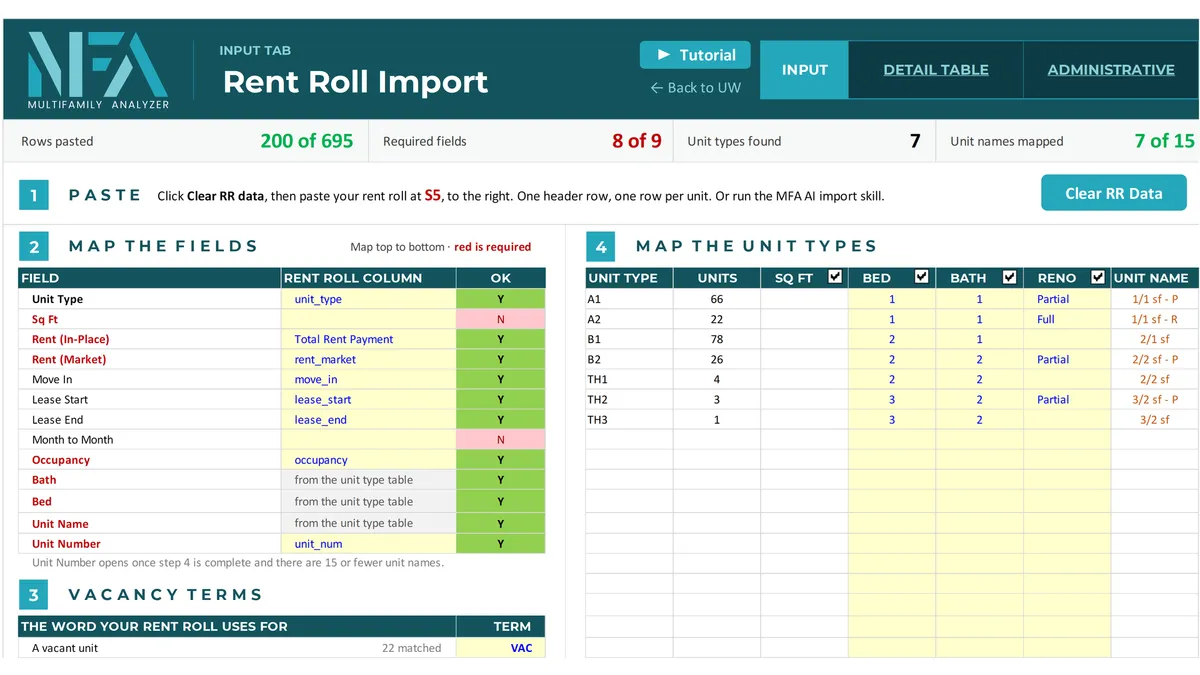
Rent Roll Input
Paste a formatted rent roll and map the columns once, by field.

Rent Comps Analysis
Make your market rent adjustments right in the tab, then send your market rent and renovation premium straight to the UW Model.
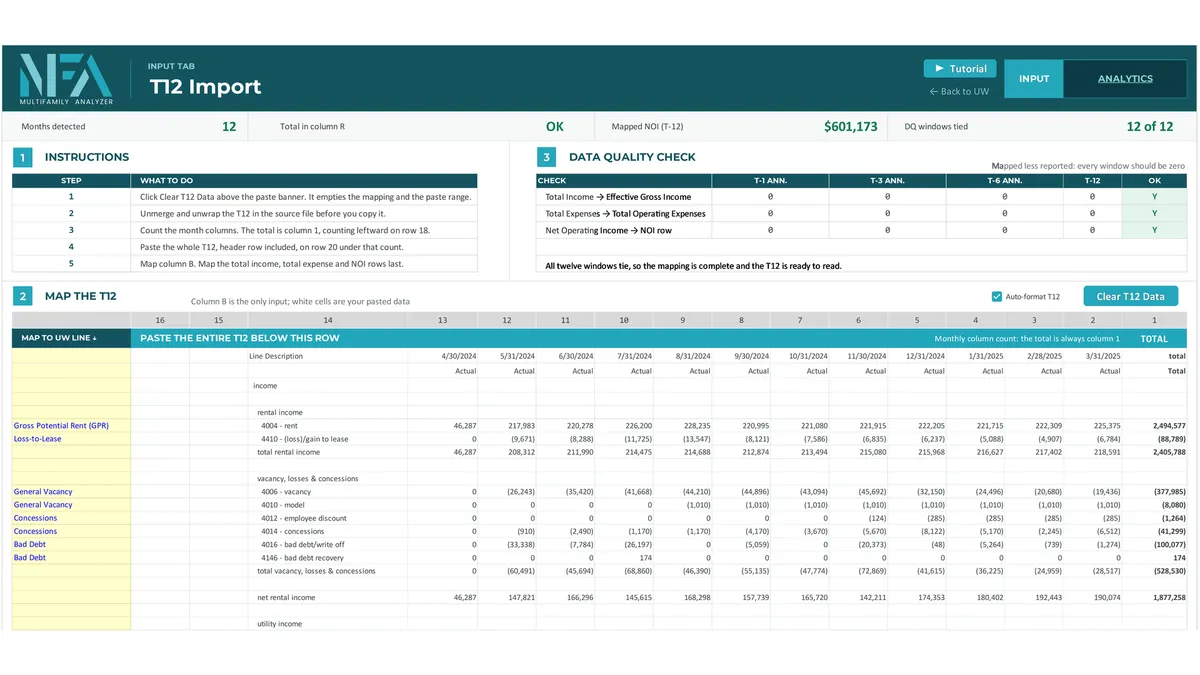
T12 Input
Paste the seller's T12 and map the columns once, by field.

Other Income & Miscellaneous Modeling
Account for ancillary income streams and miscellaneous revenue items that impact overall deal performance.
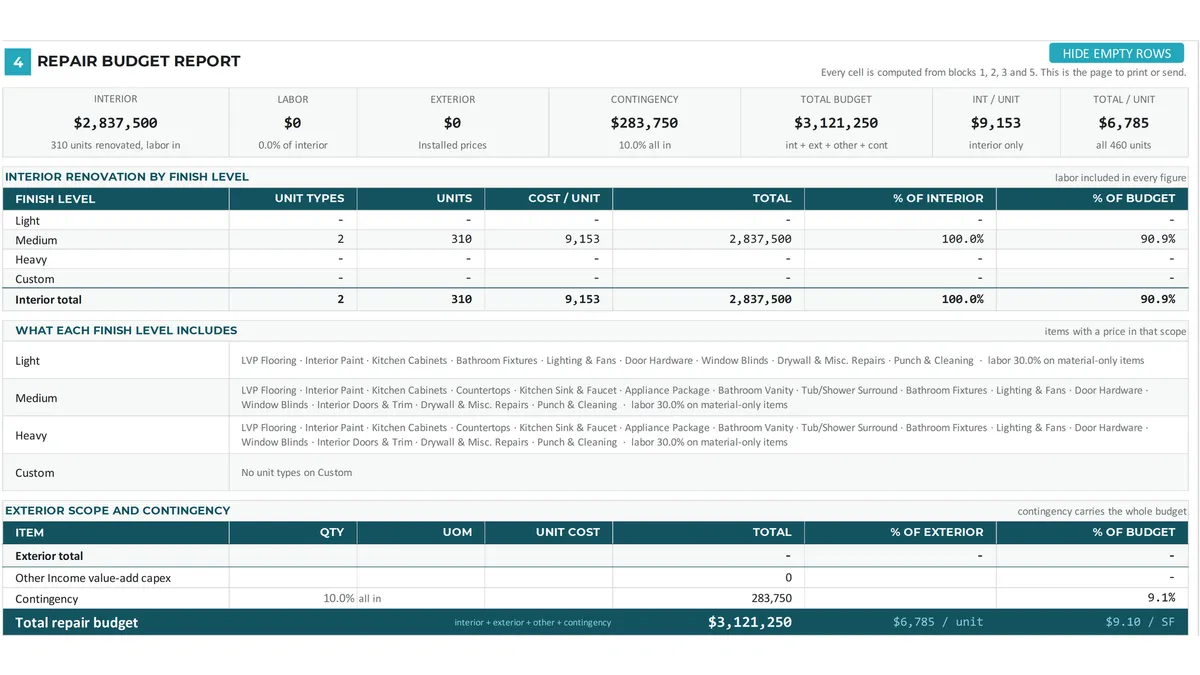
Detailed Renovation Modeling
Build comprehensive renovation budgets by unit type with line-item scope detail. Track quantities, per-unit costs, and total capital requirements to defend value-add assumptions with granular precision.

Property Tax & Closing Cost Modeling
Estimate property taxes, reassessments, and acquisition-related closing costs with dedicated worksheets.
Risk Visibility & Decision Control
Evaluate how changes in assumptions impact performance before committing capital.

Sensitivity Testing
Test key variables such as exit cap rates, rent growth, expenses, and leverage to understand downside and upside risk.

Deal Review Checklist
Structure meaningful deal conversations with a comprehensive review framework. Capture key inputs, opportunities, risks, and decisions in one centralized worksheet so nothing is missed during deal screening and team discussions
Outputs Built For Real Capital Decisions
All outputs in MFA-ADVANCED are designed for real-world use in investor discussions, internal reviews, and partnership evaluations.

Investor-Ready Outputs
Clear summaries of cash flow, returns, and performance metrics designed to support informed capital decisions.

Exit & Valuation Analysis
Analyze exit pricing, valuation assumptions, and timing to understand outcomes across different scenarios.
Automation Without Black Boxes
MFA-ADVANCED automates repetitive tasks and structures workflows for efficiency—without sacrificing transparency. Every calculation remains visible so you can review, verify, and trust the numbers behind every output.

Speed Without Sacrificing Trust
Built-in automation is used to streamline data entry, calculation updates, and output generation while maintaining complete visibility into assumptions and formulas. This allows investors to move faster without relying on hidden logic or opaque systems.
About 40% smaller and 85% faster to calculate
Structured workflows that save time
No hidden calculations or black-box logic
Full auditability retained throughout
Clear visibility into all assumptions

